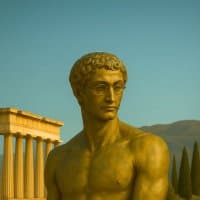

I turned Claude Code into a working film studio and i'm going to hand you the complete system: the skills, the prompts, the loops, and the six-stage pipeline that ties them together
each stage leans on a different part of the harness: skills for the models, subagents for the volume, bash for the cut, and engineered loops for everything that repeats
today, i'm teaching you to produce short films like this one using Higgsfield Supercomputer, Claude Code and Seedance 2.0:
here's what's inside this article:
- the engine: every model on one platform, and the two ways in
- stage 1: extract a style contract from real cinema
- stage 2: frames at volume, characters and locations locked
- stage 3: the agent writes every shot prompt
- stage 4: motion, and the grammar that kills frozen shots
- stage 5: the subagent fleet running generations in parallel
- stage 6: score, montage from a text file, 4K master
if you want the full production kit behind this piece, the prompt boards, the style bible and the ready-to-run agent briefs, that's what the real time AI ops community at weeklyaiops.com is for
why the loop is the product
a professional shot used to be a bet, because every attempt cost real money and real days, so nobody experimented and everything looked the same
ai video collapsed that loop: describe a shot, generate it in minutes, watch it, change three words, regenerate
the cost of trying dropped so far that trying everything became the strategy
but a collapsed loop only pays if something runs it for you, because fifty cycles per shot across twenty shots is a thousand decisions, and a human clicking a generate button a thousand times is a very tired operator, and the work still ships slop
so the system splits the work in two:
- you own taste: which frames feel right, which shots survive, what the film wants to be
- the agent owns throughput: writing prompts, submitting generations, polling jobs, retrying failures, assembling cuts
the name for this skill on the timeline right now is loop engineering, and we're using it for this setup
an agent loop is a job the agent repeats until a condition is met, and this production is loops nested three deep:
- the shot loop: generate, watch, change one variable, regenerate, until the shot earns its place
- the fleet loop: walk the shot list, submit wherever a free slot opens, collect the winners
- the session loop: log every generation, so the next production starts from everything this one learned
you engineer the loops once and the agent runs them all night, which is the difference between using a model and running a studio
every "agent-made film" you'll see, this one included, splits exactly this way: the agent plans, prompts, and retries, a human picks and directs
nobody has shown a watchable film made by an agent start to finish with no human involved, and the system below doesn't pretend to be one
cheap generation didn't make good video easy... it moved the entire job into taste
everything that follows is built around that sentence
the engine: one platform, two doors
this production touches image models, video models, music generation and upscaling, the pass that raises finished footage to 4K, which normally means five subscriptions, five tabs, five render queues, and five places to lose a file
higgsfield puts pretty much every model on one surface, behind a single login and credit pool, and the whole platform is built for agentic usage, which is exactly what this system needs, because an agent can't drive five separate logins
there are two doors into it:
- supercomputer is the easy door: an agent that runs on the platform itself, plans your production, picks the best model for each task on its own, and cuts your scenes together, you describe what you want and it handles the routing, and it runs on skills the same way claude code does, so if you don't live in a terminal, start here
- the CLI is the control door: it makes every model addressable from claude code or any harness you already run, which means your own agent holds the whole pipeline, what gets generated, when, with which model, in what order
and if you're new to ai video and have no idea how many iterations a good shot takes, supercomputer costs nothing to run: planning, testing and reworking spend zero credits, you only pay when you render the final video, so the free plan covers all the exploring
the CLI setup is three commands:
- npm install -g @higgsfield/cli
- higgsfield auth login
- npx skills add higgsfield-ai/skills
the skills bundle teaches claude code when to reach for which model, how to keep characters consistent, and how to submit and poll jobs, so from this point your terminal is the studio
one command submits any model and waits for the result:
- higgsfield generate create seedance_2_0 --prompt *"slow dolly in as the sail tears loose"* --start-image ./frame.png --duration 5 --resolution 1080p --wait
swap the model name and that same shape covers the whole production: gpt_image_2 for frames, nano_banana_2 for character edits, sonilo_music with --duration for the score, the upscaler for the 4K master
the flags that carry the pipeline:
- --start-image sets the first frame for image-to-video, and a local file path uploads itself
- --end-image locks the last frame, which is how chain shots connect
- --wait blocks until the clip is done and prints the result url, and --json makes the output readable for an agent
- higgsfield model list --json shows every model you can call, and higgsfield model get seedance_2_0 --json shows the exact settings one accepts
and running it all from claude code takes a text file, not an integration:
- write the routing rules into your project's CLAUDE.md: which model per job type, the resolution ladder, the concurrency cap
- the agent reads the rules once and every subagent it spawns inherits them
- generations submit through bash, get checked with higgsfield generate get, and log to one file per run
everything below runs through that door
stage 1: extract taste from cinema, don't invent it
the fastest way to bring taste into ai video is to stop describing moods from imagination and start extracting them from shots that already worked on millions of people
your sources, bookmark these:
- frameset.app for film and video stills, searchable by lens, lighting, movement
- shotdeck.com and fancaps.net for frame-by-frame stills from almost any film
- savee.com and cosmos.so for imagery and mood boards
- eyecannndy.com for transitions and camera technique
pick five to ten shots that carry the exact feeling you want
then run the extraction move: feed each shot to a vision model like Gemini 3.1 Pro and have it name the shot's parameters in extreme detail... lens feel, lighting direction and source, palette, grain, contrast, blocking, atmosphere, era markers
the output becomes what i call a style contract: one locked paragraph of visual language that gets pasted into every image and video prompt for the project, word for word, so every generation pulls toward the same film
because you're no longer hoping a model understands *"cinematic"*
you're handing it the measured ingredients of a shot that already moved people
*"cinematic"* alone is the single most wasted word in ai video, the models have seen ten million images tagged with it, so it means nothing... reinforcement pairs are what land: *"motivated warm lighting, 35mm grain, shallow depth of field, lifted blacks"*
that one paragraph decides how everything downstream looks
stage 2: frames before motion, always
never generate video from imagination
generate still frames until the frame is right, then animate the winner, because a frame costs a fraction of a clip and takes seconds instead of minutes, so all your exploration happens at the cheap layer
the frame pass looks like this:
- run the same shot brief through several diffusion models side by side with your style contract attached, and on one surface this is trivial: same prompt, five models, compare
- try a LOT of frames per beat, different compositions, different moments inside the scene, different weather
- refine the winners: Nano Banana for surgical edits and consistency passes, Soul Cinema for photographic character looks, GPT-Images-2 for dense art direction
- lock what must stay identical: a reference sheet per character (front, three-quarter, profile, cropped separately, because grids confuse the video models into reading panels as different people), a separate sheet per wardrobe or state change, multi-angle sheets per location
this pass is also where supercomputer earns its keep if you'd rather not drive it yourself: it tests the same brief across models on its own, looks at the outputs, and iterates without you monitoring anything
three frame rules that decide more than any tool choice:
- objects hold emotion better than faces, because faces drift between generations and objects lock, so when a story beat can land on a torn sail or a broken oar instead of an expression, hand it to the object
- one impossible thing in one normal place is the composition that stops a scroll
- give the character a cost: a figure walking is footage, a figure limping toward something is a story
the frames are only half the job though, because a beautiful frame that doesn't move is still slop...
stage 3: the agent writes the shot scripts
every shot needs a prompt, and prompt writing at volume is exactly the work you delegate
i use Fable 5 Medium as the script writer: it takes the beat sheet and the style contract and writes every shot's prompt in one locked template... scene context, references, blocking, camera, lighting, audio, style locks, same order every time
locked, because consistency across shots comes from repeated reference images and repeated language, never from seeds or luck
the prompt rules the scripts follow, each one worth stealing on its own:
- one verb per shot: *"he turns"* generates, *"he turns, walks forward, reaches out and speaks"* collapses
- five small actions land better than one adjective: *"blank stare, slow blink, sips coffee, looks up"* reads as a person, *"he looks confused"* reads as a stock photo
- subject movement and camera movement always get separate sentences, because one clause carrying both is how you get the shaky nonsense everyone blames on the model
- prompts that generate from text alone run 120 to 280 words, prompts that animate a reference image stay under 80, because past that the text starts fighting the image and your character drifts
- constraints stay positive: *"stable picture, sharp clarity"* works, *"no blur, no shaking"* gets ignored
stage 4: motion, and the grammar that kills frozen shots
now the clips
each keyframe, the locked still you built in stage 2, goes through Seedance 2.0 image-to-video, which turns that still into a moving clip, as an isolated 3 to 5 second shot, and a minute of film is 12 to 16 of those stitched, which is how every real film works anyway... an editor cuts shots, not takes
shot isolation is also the consistency cheat: identity drift shows up past 30 seconds of continuous scene, and isolated beats never get there
my first two motion passes failed the same way: figures standing frozen while the camera drifted past them, clips that technically moved and visibly did nothing
the fix is a grammar, three parts, every image-to-video prompt:
- a named camera move
- an in-scene event: something HAPPENS during the five seconds
- an explicit *"no frozen figures"*
same keyframe, two prompts: *"slow dolly in, cinematic"* gives you a still image that drifts, *"slow dolly in as the sail tears loose and the crew scrambles to catch it"* gives you a film
two motion techniques worth the whole section:
- chain shots: the last frame of shot N becomes the reference frame of shot N+1, so continuity carries forward without a single character sheet being reloaded
- time-code the climax inside one generation: [0-4s] wide and static, [4-8s] push-in as tension builds, [8-12s] close-up at the peak, [12-15s] the reveal, so you're directing cuts inside a single clip
one good clip is a sample though, a film needs sixty of them, and that's a volume problem
stage 5: the fleet
this is the stage where claude code earns the word studio
one orchestrator session owns the shot list
it spawns subagents by shot family... creatures, water, interiors, action... and each subagent writes its own prompts from the style contract, submits its generations through the CLI, polls its jobs, and reports back its winners
because every model is addressable from the same terminal, the fleet covers the whole shot list in parallel, across models, while you do something else
the fleet lives or dies on one unglamorous rule... respect concurrency
video models cap how many jobs run at once, so the agent checks active jobs and submits only when a slot frees
an agent that throttles finishes overnight... a naive loop dies on rate limits an hour in, which is correct, the cap is what makes the overnight run predictable
iteration discipline for the fleet: 3 to 4 candidates per shot, then change ONE variable per pass... the camera, the lighting, or the speed, never a full rewrite, because a fail you changed five things on teaches you nothing
and the agent logs every generation: prompt, model, result, kept or killed
your production becomes a database, and production number two starts from everything number one learned
stage 6: montage as code
the assembly is smaller than you think
- music first: brief the score against the cut's emotional arc in movements, not moods (build, peak, quiet, resolve), generated in one pass, then trim the cut to the score
- the cut itself is a text file: one line per clip with its duration and an audio flag, and ffmpeg, the free command-line video tool claude code already knows how to drive, reads the file and renders the film
every row of that file is a shot name, the seconds to keep, and an audio flag... 17-scylla-deck sits in my last cut's file with its audio flagged mute, because its generated shout fought the strings, and sea ambience two rows later stays live because it sells the scene
per-clip audio gets muted exactly where it collides with the score, kept everywhere it adds realism
which means the entire edit is reproducible and changeable in seconds, no timeline software, no editor
- upscale once, at the end, on the finished cut, never on individual clips
- generate at 720p while exploring, 1080p for keepers, 4K only for the final master, and you stop at the lowest resolution that answers the question you're asking
if driving ffmpeg and an upscaler from a terminal is more pipeline than you want, this stage is supercomputer territory too: hand it the winning clips and it assembles the cut and renders the 4K master itself
and the last cut pass is pure honesty: any clip where you'd check your phone gets deleted, whatever it cost you
what this system is actually for
the film is the demo... the system is the asset
the same six stages produce product ads, UGC at volume, brand films, launch videos, because nothing in the pipeline knows it's making a film
and a standing system wins on speed: when a moment hits your niche the window is measured in hours, and an operator with a style contract, locked characters and a generation fleet publishes while everyone else is opening tabs
the whole build, compressed:
1. extract a style contract from real cinema with a vision model
1. generate frames at volume across several diffusion models, refine, lock characters and locations into sheets
1. Fable 5 Medium writes every shot prompt from one locked template
1. Seedance 2.0 animates keyframes as isolated 3-5s shots: camera move + event + no frozen figures
1. subagents run the generations in parallel through the higgsfield CLI, throttled, logged
1. score, cut from a text file with ffmpeg, upscale the master once
skip stage 1 and every other stage produces beautiful footage of nothing in particular
the first film out of this system took one overnight session... yours starts the evening you install the CLI...
or give a try to Higgsfield Supercomputer for free *(Higgsfield AI is sponsoring this article, but this thing is genuinely impressive) *- it is capable of working autonomously from planning shots, writing prompts, picking models to a final production
everyone reading this can rent the same models, so the film is only ever as good as what you feed the system
taste in, film out